
Integrations
Puhera WhatsApp Integration
The Puhera WhatsApp integration takes your AI assistant to the messaging app your customers use most. Questions are answered from the same knowledge base as your website chat, with cited sources, and a conversation can be handed to a live agent when needed. As a Meta Tech Provider, Puhera connects to WhatsApp through Meta's official infrastructure.
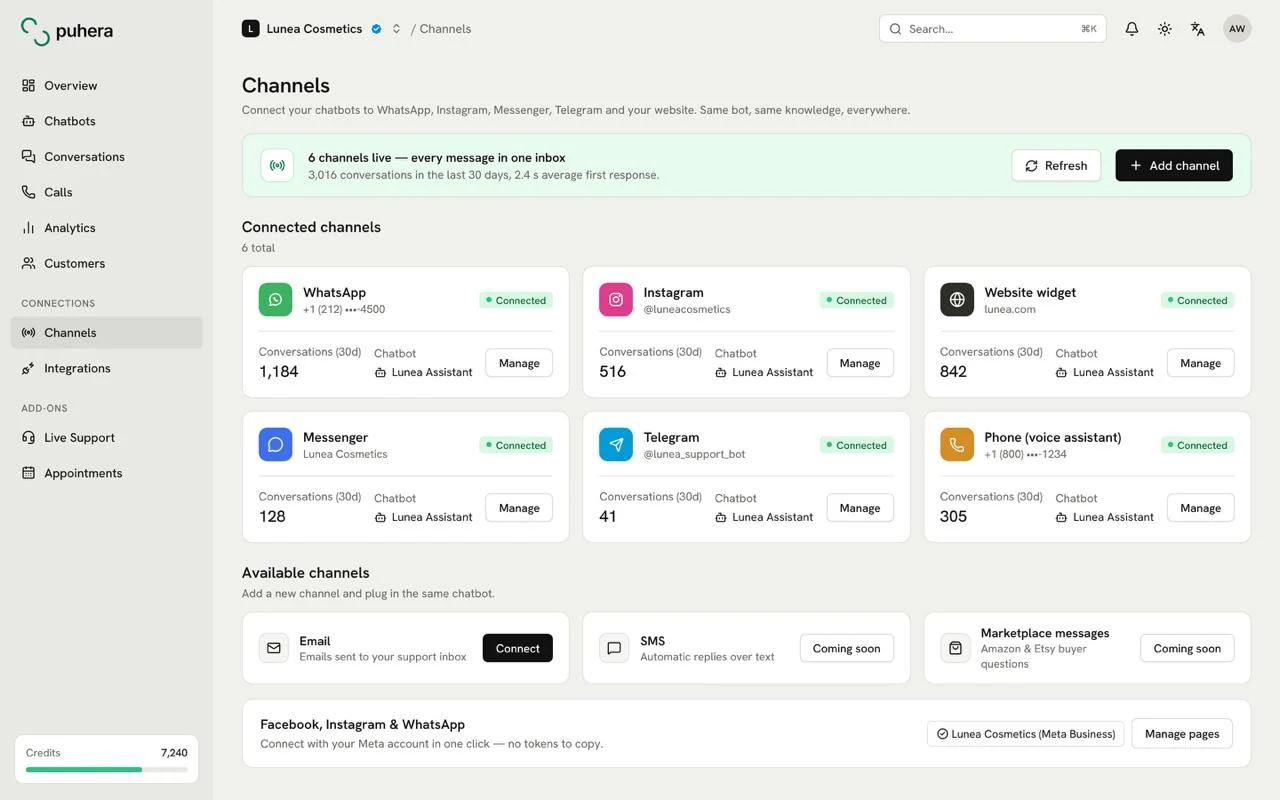
At a glance
- What it does Lets the Puhera assistant talk to your customers on WhatsApp
- Connection type Meta's official infrastructure (Meta Tech Provider)
- Knowledge source Your Puhera knowledge base: website, files, FAQ, product catalog
- Live support Conversations can be handed to a live agent when needed
Why an AI assistant on WhatsApp?
Many of your customers would rather message you in the app they already use every day than open your website. WhatsApp is the most common example. When a question arrives there, a fast answer improves satisfaction and the chance of a sale.
The Puhera WhatsApp integration runs the same AI assistant on this channel. You do not build a separate bot or prepare separate content; the assistant knows everything on WhatsApp that it knows on your website.
What can the assistant handle on WhatsApp?
It answers the questions your team handles over and over every day from your knowledge base, with cited sources:
- Policy questions such as delivery times, return terms and payment options
- Business details such as opening hours, service areas and pricing
- Catalog questions about product features and stock (when your catalog is connected to Puhera)
- Setup, how-to and common problems
We explain how to prepare that knowledge on the AI knowledge base page.
What does Meta Tech Provider mean?
Puhera is part of Meta's Tech Provider program. The WhatsApp connection is built on Meta's official infrastructure, so messages travel through the channels Meta provides rather than unofficial workarounds.
WhatsApp and Meta are trademarks of Meta Platforms, Inc. Puhera is not an affiliate of Meta; as a Tech Provider it uses Meta's infrastructure.
What happens when the bot can't answer?
Not every conversation should be automated. Complaints, return exceptions and personal situations need a person. In Puhera a conversation can be handed to a live agent together with the bot transcript.
See live chat and human handoff for the handoff flow, and chatbot-to-human handoff for how to design a good one.
One knowledge base, several channels
WhatsApp is one of the channels Puhera supports. The same assistant can also run on your website, on Instagram DM and on Messenger. Update the knowledge base once and every channel answers with the same current information.
To see how replies can be automated further, have a look at chatbot automation.
How do you use the Puhera WhatsApp integration?
-
Create your bot in Puhera
Crawl your website and add your files and FAQ to build the bot's knowledge base.
-
Set the tone and directive
Choose a tone that fits your brand and define which topics the bot should answer.
-
Enable the WhatsApp channel
Turn on the WhatsApp channel in the Puhera panel to get your assistant ready for it.
-
Test with real questions
Run test conversations with the questions your customers ask most and check the cited sources.
-
Go live and monitor
Switch the channel on and review conversations in the first days to fill gaps in the knowledge base.
How does Puhera work on WhatsApp?
The Puhera assistant answers messages that arrive on WhatsApp using the same knowledge base as the assistant on your website. Answers come with cited sources.
Is Puhera a Meta Tech Provider?
Yes. Puhera is a Meta Tech Provider and connects WhatsApp, Instagram DM and Messenger through Meta's official infrastructure.
Can I hand a WhatsApp conversation to a live agent?
Yes. When the bot cannot answer or the topic needs a person, the conversation can be handed to a live agent.
Do I need a separate bot for my website and WhatsApp?
No. The same assistant and knowledge base run on several channels; you only update the information once.
Can Puhera answer in different languages?
Yes. Puhera can reply in multiple languages with AI, which helps businesses with customers in different countries.
Can I try Puhera for free?
Yes. You can try it free for 7 days with no credit card, just email verification; the trial has a lower credit limit and a few other limits.
Try Puhera with your own data.
Free for 7 days, no credit card. Connect your sources, test the bot in preview, and publish when you are ready.
Start your 7-day free trialNo credit card · No code · Live in 5 minutes